
How to share a meal plan and grocery list with your household.
By Complete OS · Published October 24, 2026 · Updated October 26, 2026
Put the recipes you actually cook in one place, lay them across the week, and send each recipe’s ingredients to a grocery list the whole household can see and edit. In Complete OS that takes four steps: create a household and invite your partner or family, save your recipes, plan the week in the Meals tab, then shop from the shared Grocery list, where check-offs show up for everyone. Each person decides which of their own meals and recipes the others can see.
Why one shared list beats texting “we need milk”
Most households plan dinner in one place, keep the shopping list in another, and fill the gaps by text. The result is two people buying the same thing, nobody buying the thing that was actually missing, and the 5 pm “what’s for dinner?” conversation every night.
A shared plan fixes the first half: everyone can see what is planned for each night. A shared list fixes the second: there is one list, it fills itself from the plan, and when one person checks something off in the store, it is checked off for everyone.
Step 1: Create a household and invite everyone
Households are set up in Settings. One person creates the household and gives it a name, then shares the invite code or the invite link with a partner or family member. Each code works once, and it is used up the moment someone joins with it.
- Open Settings and find Household.
- Tap Create household and give it a name.
- Tap the invite code to copy it, or use Share invite link.
- The other person opens the link (or enters the code) and joins.
Step 2: Save the recipes you actually cook
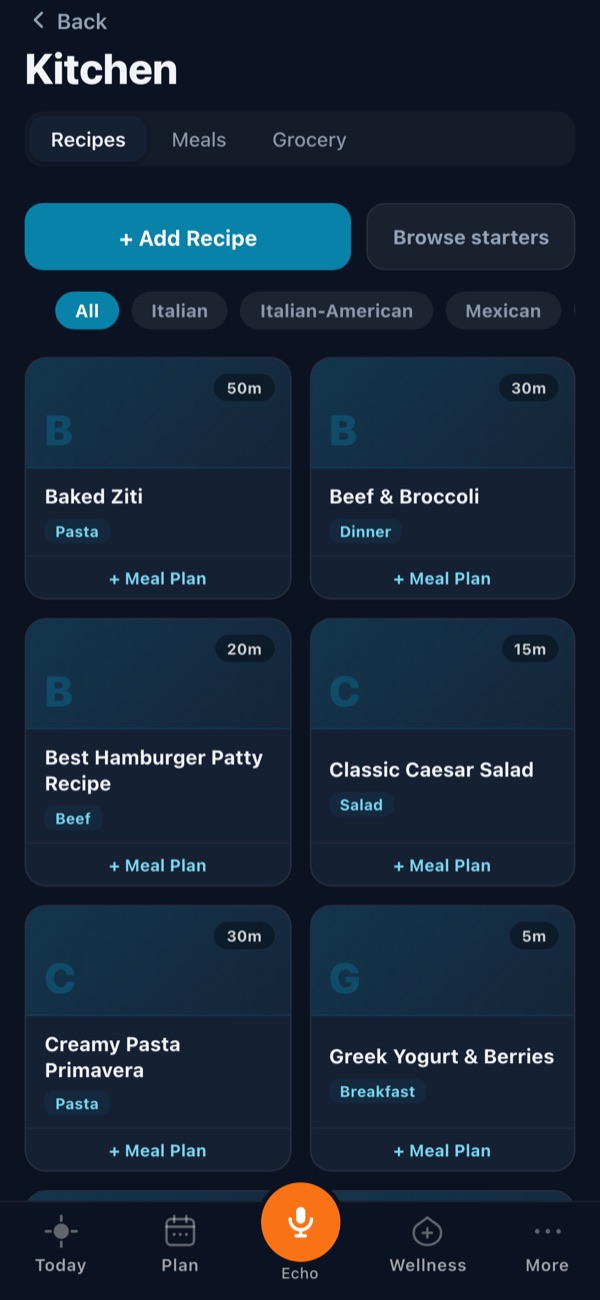
The Kitchen is built around your own recipe library, not a feed. Add a recipe by hand, paste a recipe link to fill it in, or start from the built-in starters. Each recipe holds its ingredients, steps and, if you want, calories, protein, carbs and fat per serving.
Recipes are shared with your household by default, so a recipe one person saves is there for everyone to plan with. Anyone can change that for a single recipe, or change their own default.
Step 3: Plan the week in the Meals tab
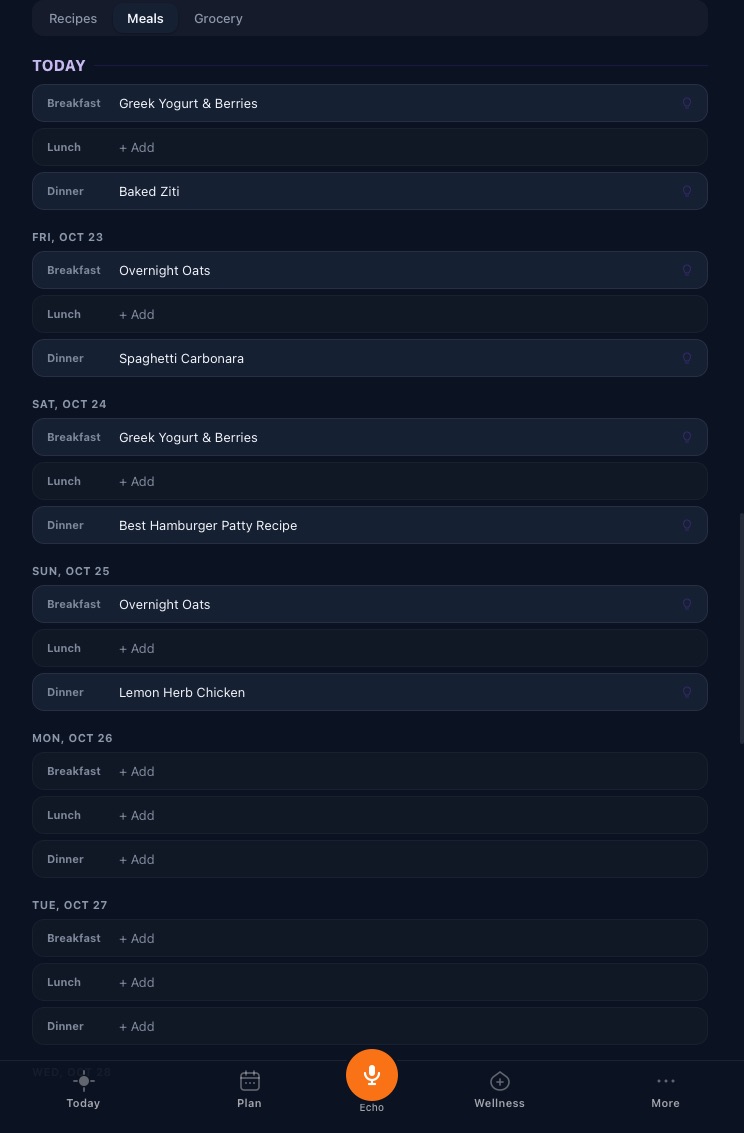
The Meals tab shows each day with breakfast, lunch and dinner slots. Tap a slot to put a saved recipe in it, or just type a name like “leftovers” or “pizza night”. You can plan up to two weeks ahead and leave any slot empty.
Meals are private by default. To let the household see a meal, choose Household (or pick specific people) when you add it, or change your default once in Settings, under What I share. A meal someone else shared shows “Shared by” with their name, and it opens view-only, so nobody edits your plan by accident.
Step 4: Shop from one grocery list
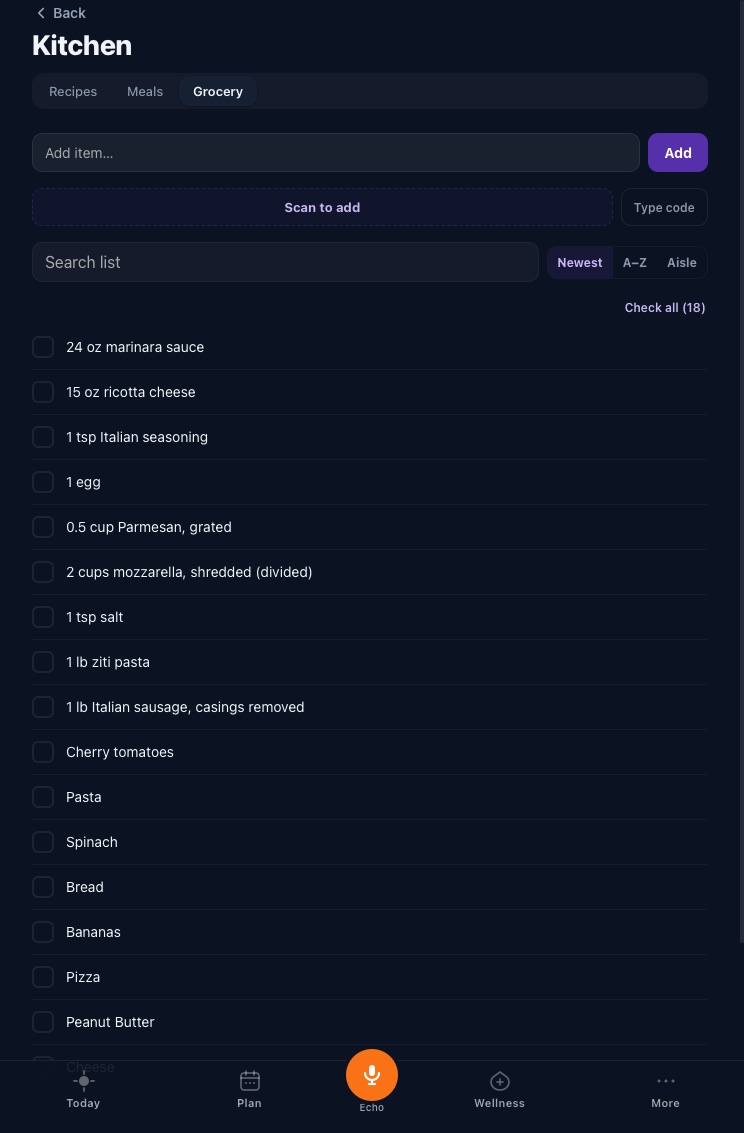
Open a recipe and send all of its ingredients to the grocery list in one tap. Anything already on the list, written the same way, is skipped, so two dinners that both need garlic do not add it twice. Add anything else by typing it in or scanning a barcode.
The grocery list is one list for the whole household, and anyone in it can add to it or check things off. Check-offs sync live, so two people can split the store and work the same list. Sort it by newest, A to Z, or aisle.
What stays private
Sharing is per item, and only the person who created an item can edit it. Notes, tasks, meals and Vault cards start private; recipes start shared with the household. Each item has a “Who can see this” choice: Only me, Household, or Choose people.
Nutrition totals on the Today screen count only your own meals, so a meal someone else shared with you never lands in your calorie count. If someone leaves the household, they lose access to the shared grocery list and everything that was shared with them.
Frequently asked questions
Can two people edit the same grocery list at once?
Yes. Everyone in the household shares one grocery list. Anyone can add items or check them off, and changes sync live, so two people can shop the same list in different aisles.
Does everyone see every meal I plan?
No. Meals start private. You choose who can see each one: Only me, Household, or Choose people. You can also set your default once in Settings, under What I share.
Can my partner change a meal I planned?
No. Only the person who planned a meal can edit or delete it. Others in the household see it marked “Shared by” with your name, view-only.
How far ahead can I plan meals?
Up to two weeks ahead. The Meals tab shows 14 days back and 14 days forward from today.
Does adding two recipes put the same ingredient on the list twice?
Not if it is written the same way: an item already on the list is skipped. Different wording, such as “garlic” and “2 cloves garlic”, shows up as two items.
What does Complete OS cost for a household?
Complete OS is $9.99 a month, one plan with everything included, and a 14-day free trial with no card required. Each person signs in with their own account.